

What's new in Granur: November 2026
Here's what we're most excited to show you in Granur this November. It all has the same goal: fewer spreadsheets and email threads, and decisions that come with the evidence attached.
Every screenshot below is from the product itself, using our demo company, Solstice Robotics, and its made-up vendors and contracts.
Ask Granur: questions about contracts and vendors
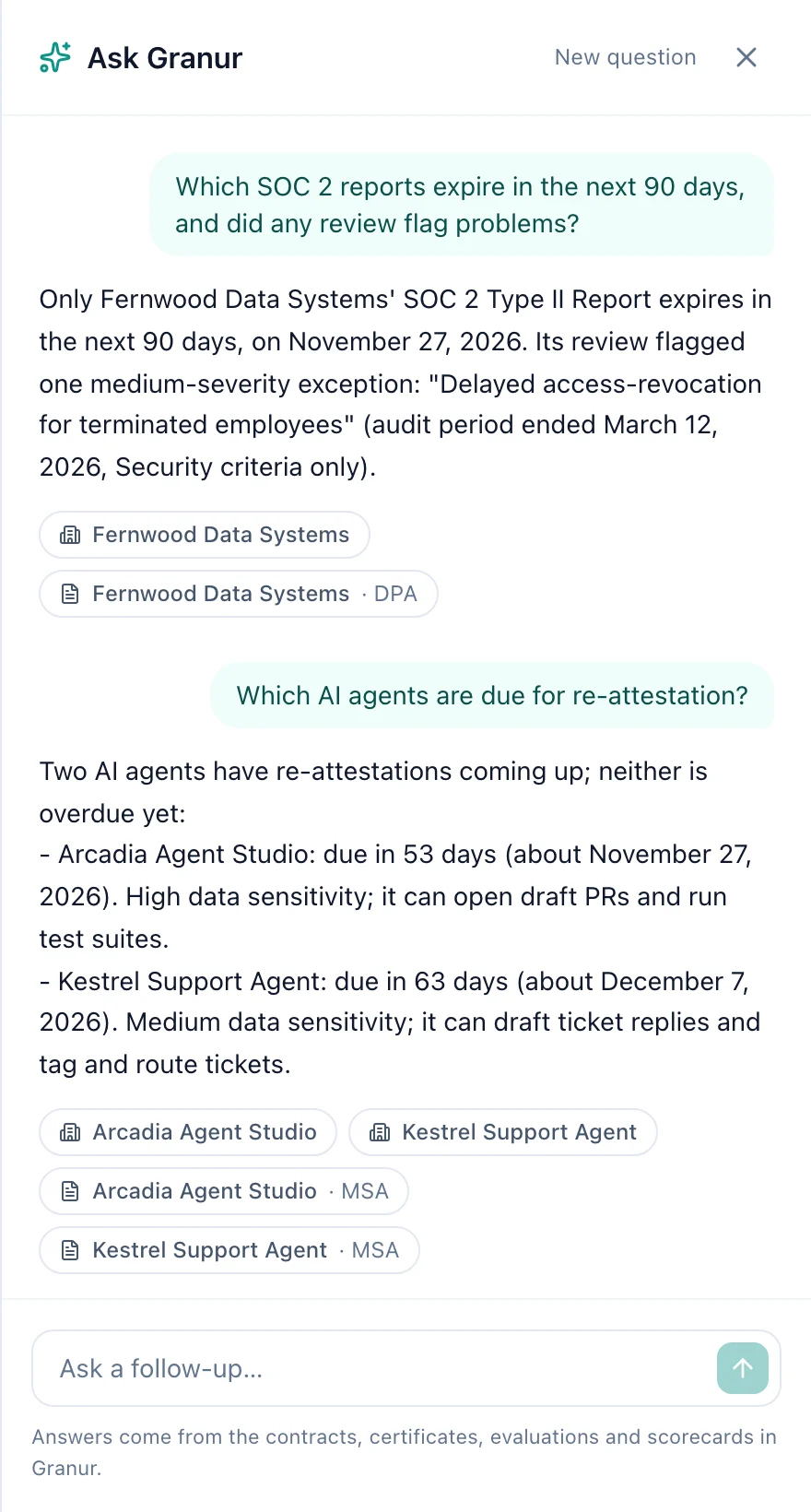
Ask Granur sits in the top bar on every page (or press ⌘K, or Ctrl+K on Windows). Ask in plain language, and it answers from everything in Granur: contracts, certificates, SOC 2 reviews, evaluations, health scorecards and AI agent access. Each answer links to the vendors and contracts it mentions, and you can ask follow-up questions in the same conversation.
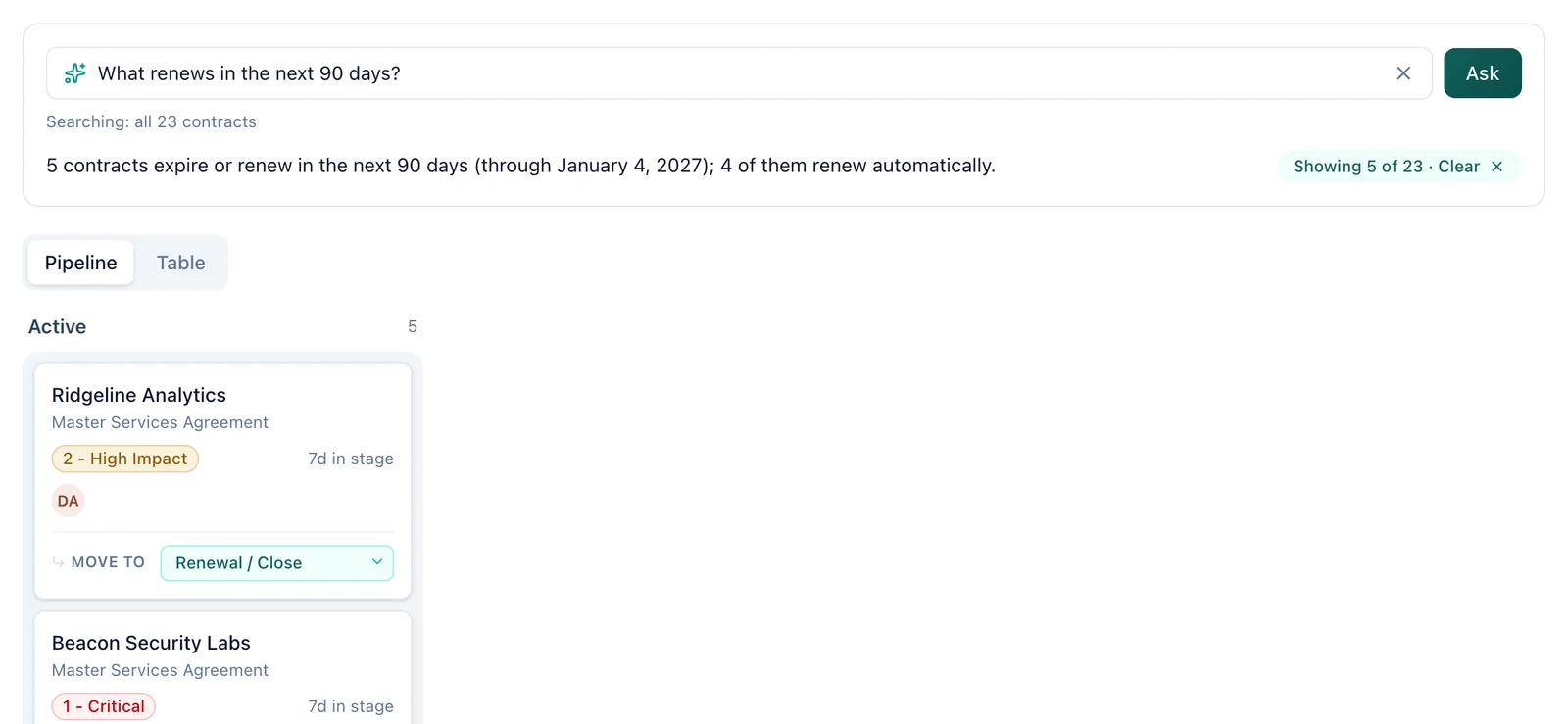
On the Dashboard, the Ask your contracts bar works on the contracts in front of you. Ask a question and the Pipeline and Table narrow to the matching contracts, with a one-line answer on top. It respects the filters you've already set in the Table, and one click clears it.
Answers only use your own data in Granur. If something isn't on file, Ask Granur says so instead of guessing.
AI that reads the contract, and tells you what's wrong with it
Upload a contract and AI pulls out the key terms, renewal dates and obligations, and you check them before anything is saved. Then Run risk review reads the full text for the clauses that cause trouble later: uncapped liability, one-sided indemnification, silent auto-renewal, missing termination rights.
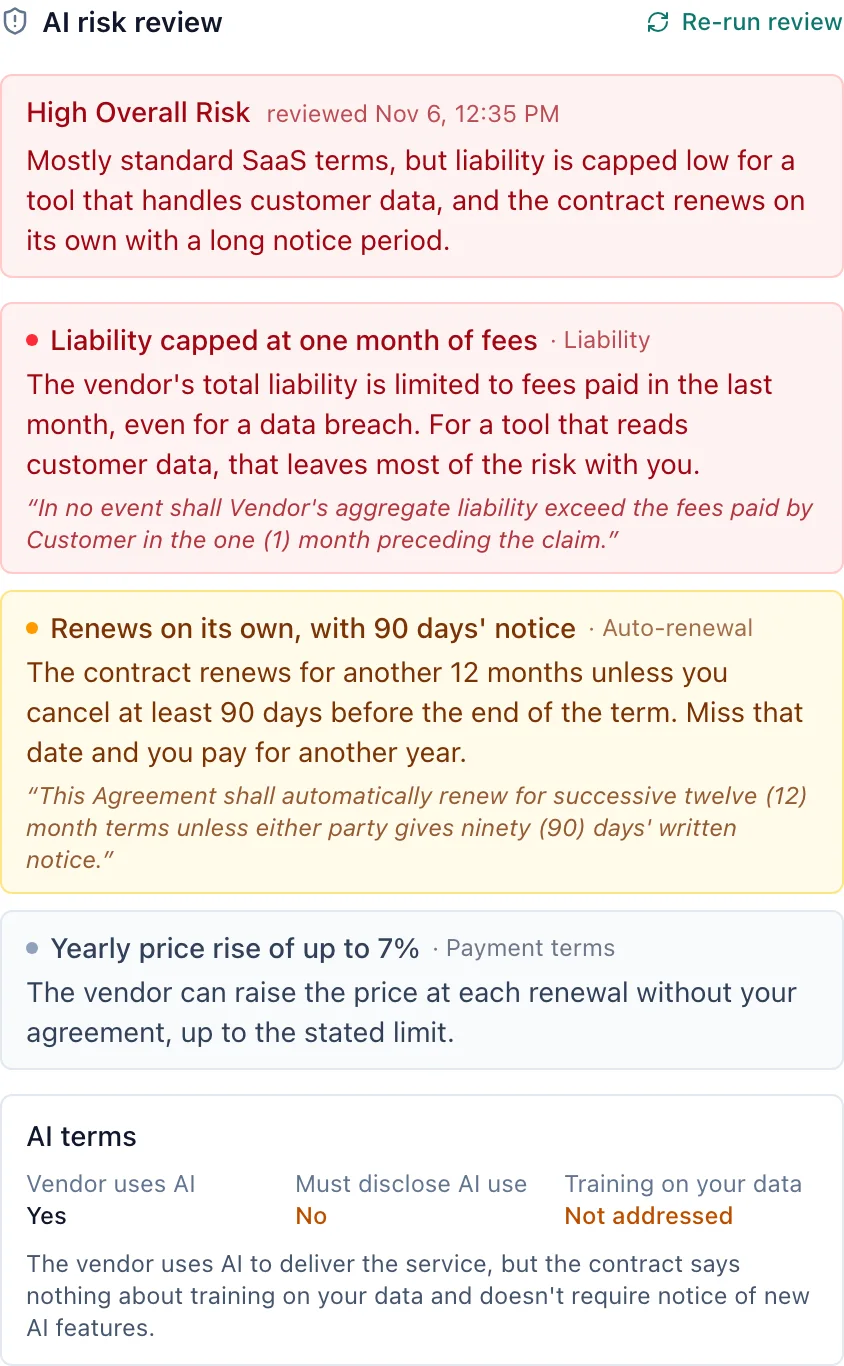
Each flag comes with a severity, a plain-language reason and the clause itself, so legal can go straight to what matters. It also reads the contract's AI terms: whether the vendor uses AI, whether it has to tell you about it, and whether it may train on your data.
AI use on every vendor
Vendors switch on AI long after you approved them. So every vendor in Granur has an AI record: what its AI does, whether it may learn from your data, whether the contract makes it disclose AI, how much the AI decides on its own and what data it can reach. From that, each vendor gets an AI risk tier.
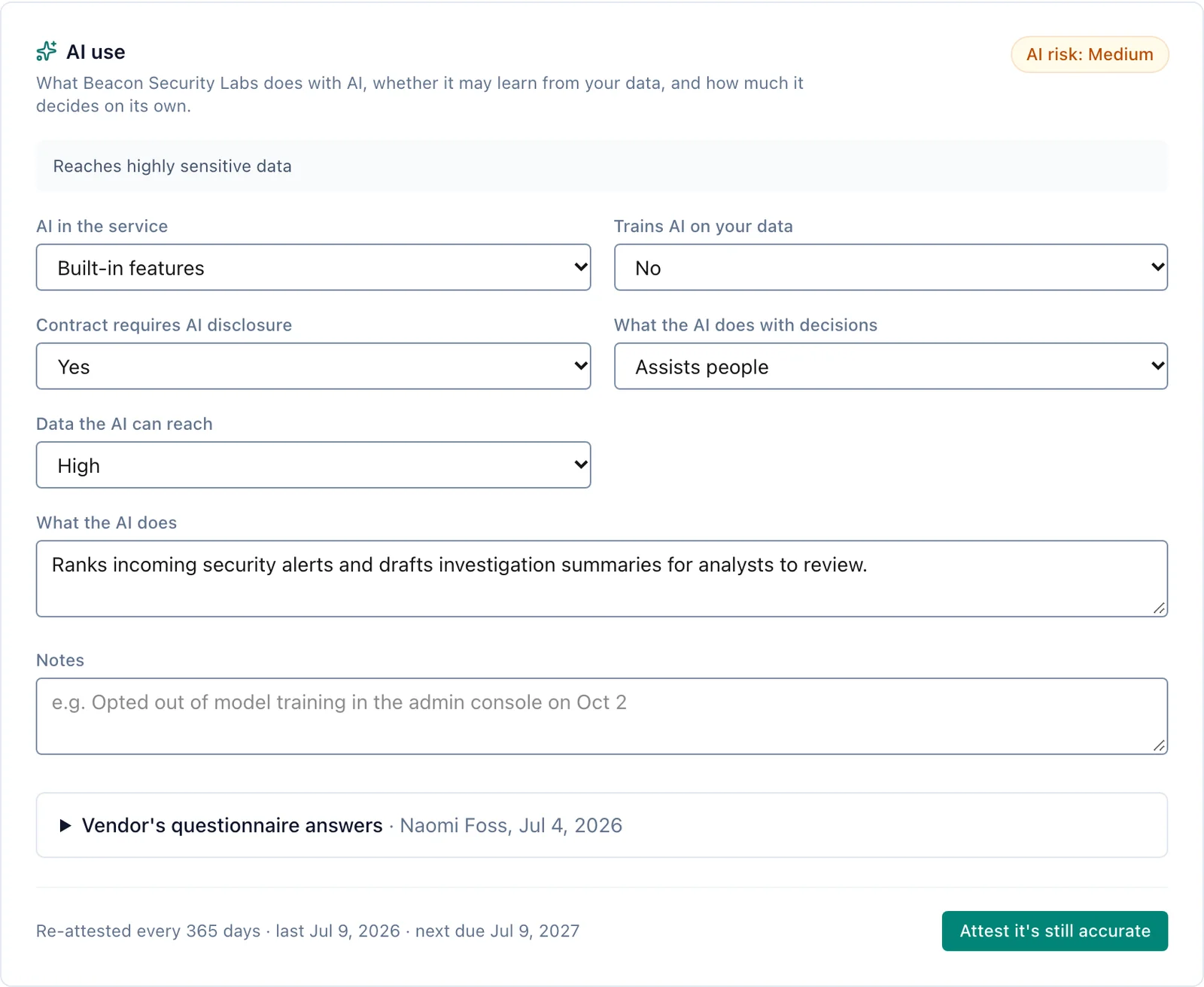
Vendors can answer an AI questionnaire themselves through a secure link, with no account. A yearly re-attestation makes sure someone looks again, and the clause library has ready-made AI clauses for disclosure, training on your data, incident notice and human oversight, as a starting point for your lawyers. AI agents get their own record of what they're allowed to access, with its own attestation date.
Shadow-AI discovery that tells you what matters
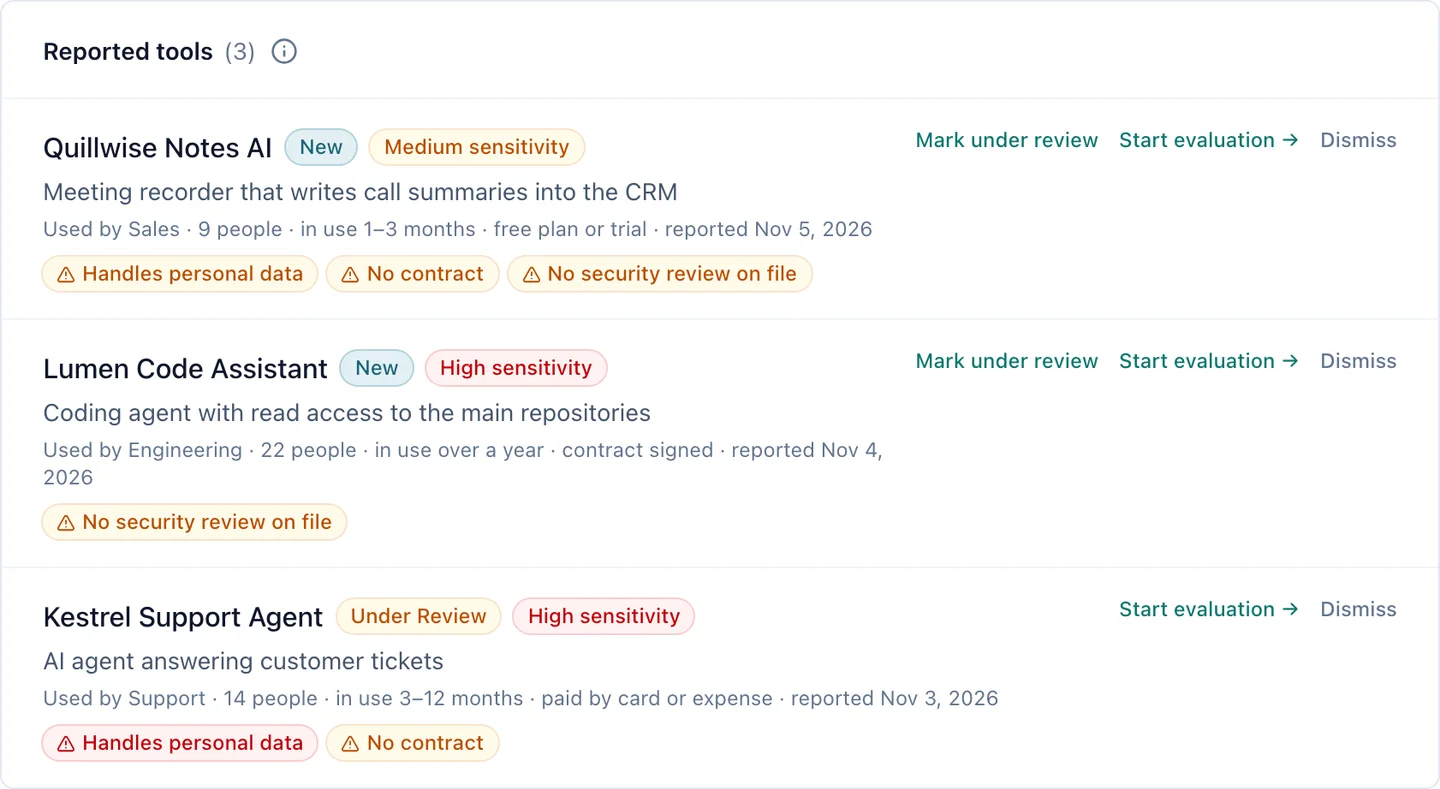
Anyone in your team can report an AI tool that's already in use, including read-only users. Reports ask how long the tool has been in use, whether there's a contract and whether it handles personal data. Granur flags the risks for you: handles personal data, no contract and no security review on file. When you click Start evaluation, owners and admins are notified (by email, and in Slack or Teams if connected) and the intake form opens already filled in.
Trust status: where every vendor stands
The Trust status page in the sidebar shows every vendor on one page: its approval status, plus a traffic light for the security review, your own policies, frameworks, certificates and, for AI agents, data access. Each light is worked out from what's on file, so nothing shows green without evidence, and each one says why in a few words. Filter to what needs attention, or download the whole register as a CSV for an audit.
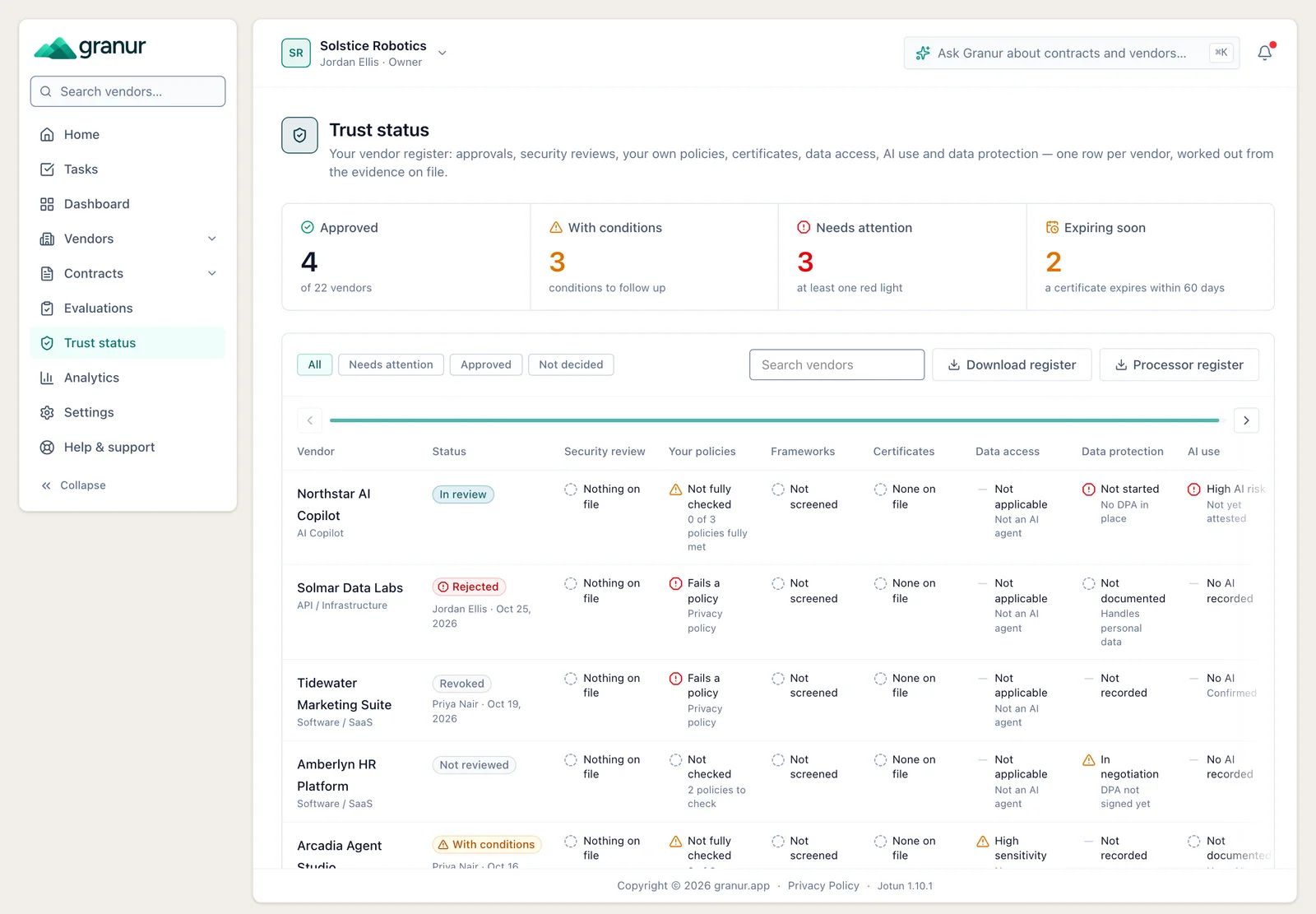
Two things feed it. Owners and admins can formally approve a vendor, approve it with conditions, reject it or revoke an approval, and Granur keeps the history of who decided what and when. And under Settings → Policies you can add your company's own policies (privacy, AI, information security) as simple requirements, then check each vendor against the ones that apply.
Vendors upload their own documents
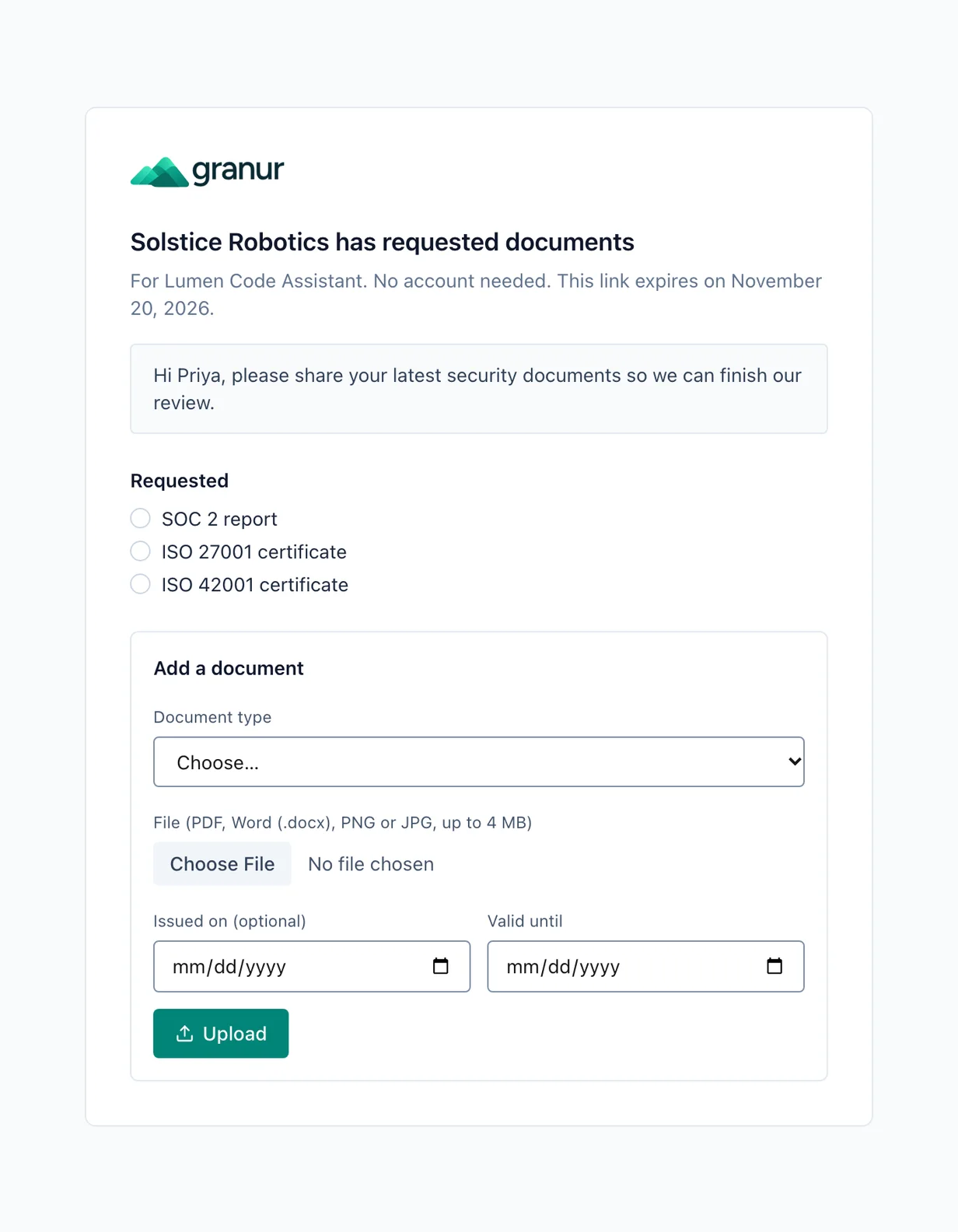
No more chasing certificates by email. Send a vendor a secure link and they upload their SOC 2 report, ISO certificates and other documents straight into Granur. They don't need an account, and the link expires after a set time. Expiry dates are tracked, so you're reminded before a certificate runs out.
SOC 2 reports, read for you
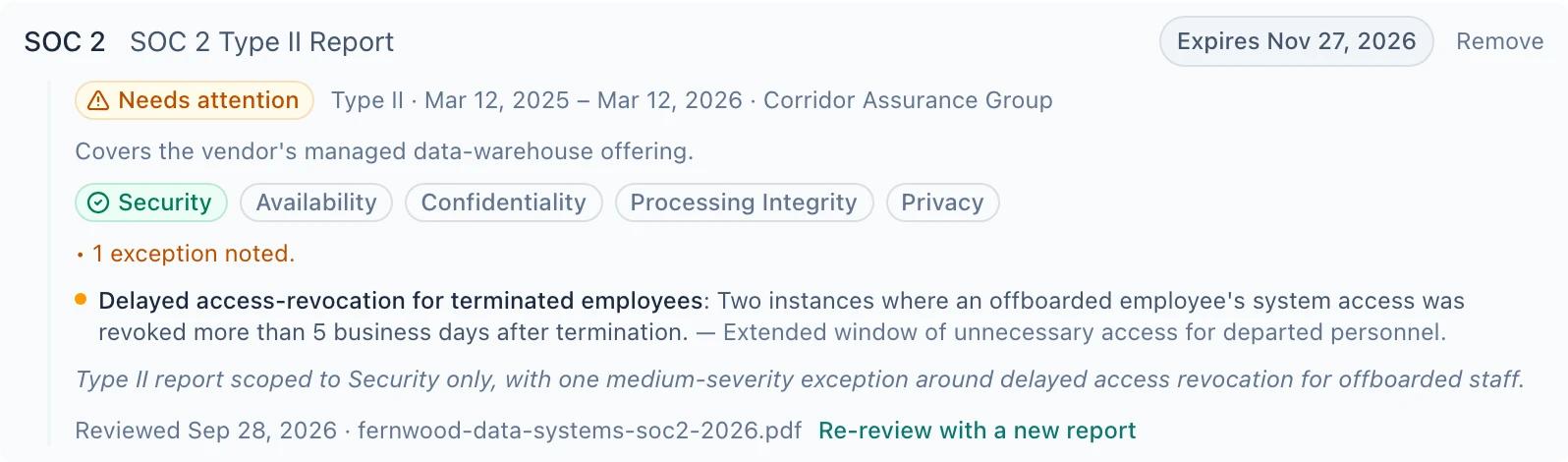
Upload a SOC 2 report and AI pulls out the facts: report type, audit period, auditor, which Trust Services Criteria are covered and any exceptions. Granur then checks them against the requirements you set once for your organization (minimum report type, maximum report age and required criteria), so every flag comes with a reason. Read more in our guide on how to review a SOC 2 report.
Renewal decisions, start to finish
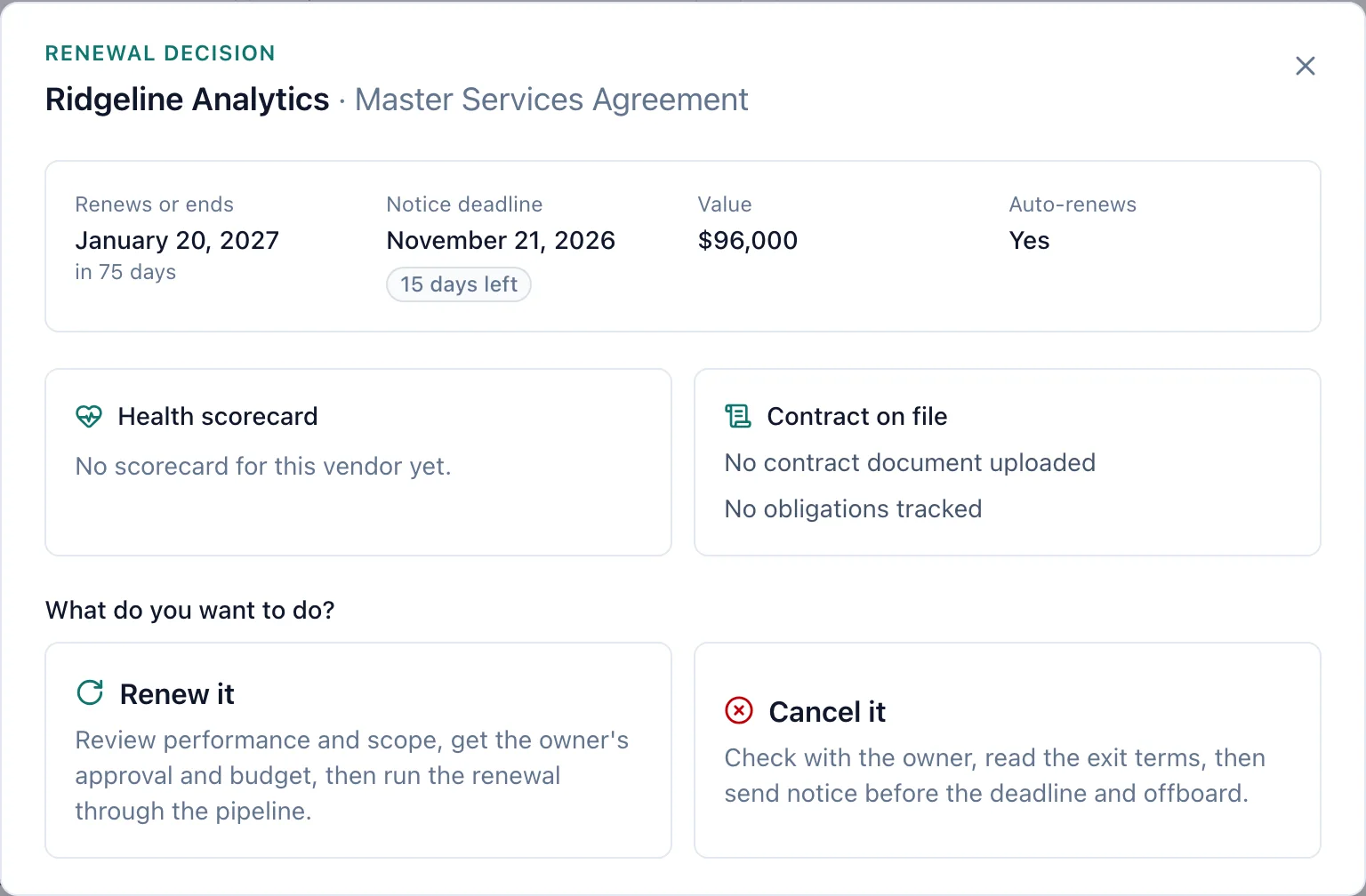
Every contract on the Renewals page has a Decide button. It opens the renewal at a glance: the renewal date, the notice deadline and how many days are left, the value, whether it renews on its own, the vendor's health scorecard and any open obligations. Then you choose: renew it or cancel it.
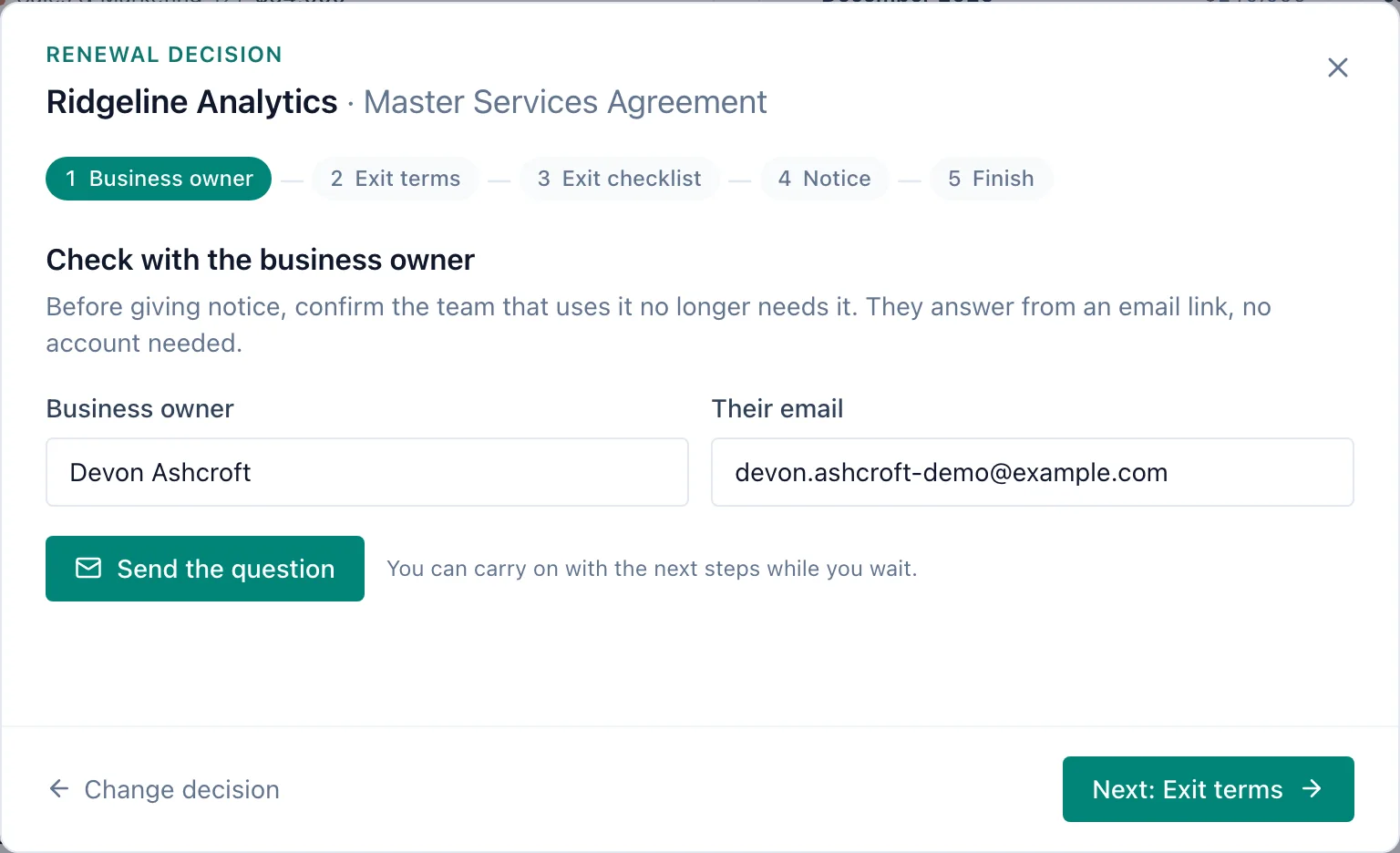
Cancel it takes you through five steps. First, Granur emails the business owner one question: does the team still need this? They answer from a link, without an account. Then AI reads the exit terms from the contract, a checklist covers data export, access removal and billing, and the notice is written from the contract's own terms. Renew it checks performance and scope, gets the owner's approval and the budget confirmed, then starts the renewal in the pipeline.
Business reviews your vendors can prepare for
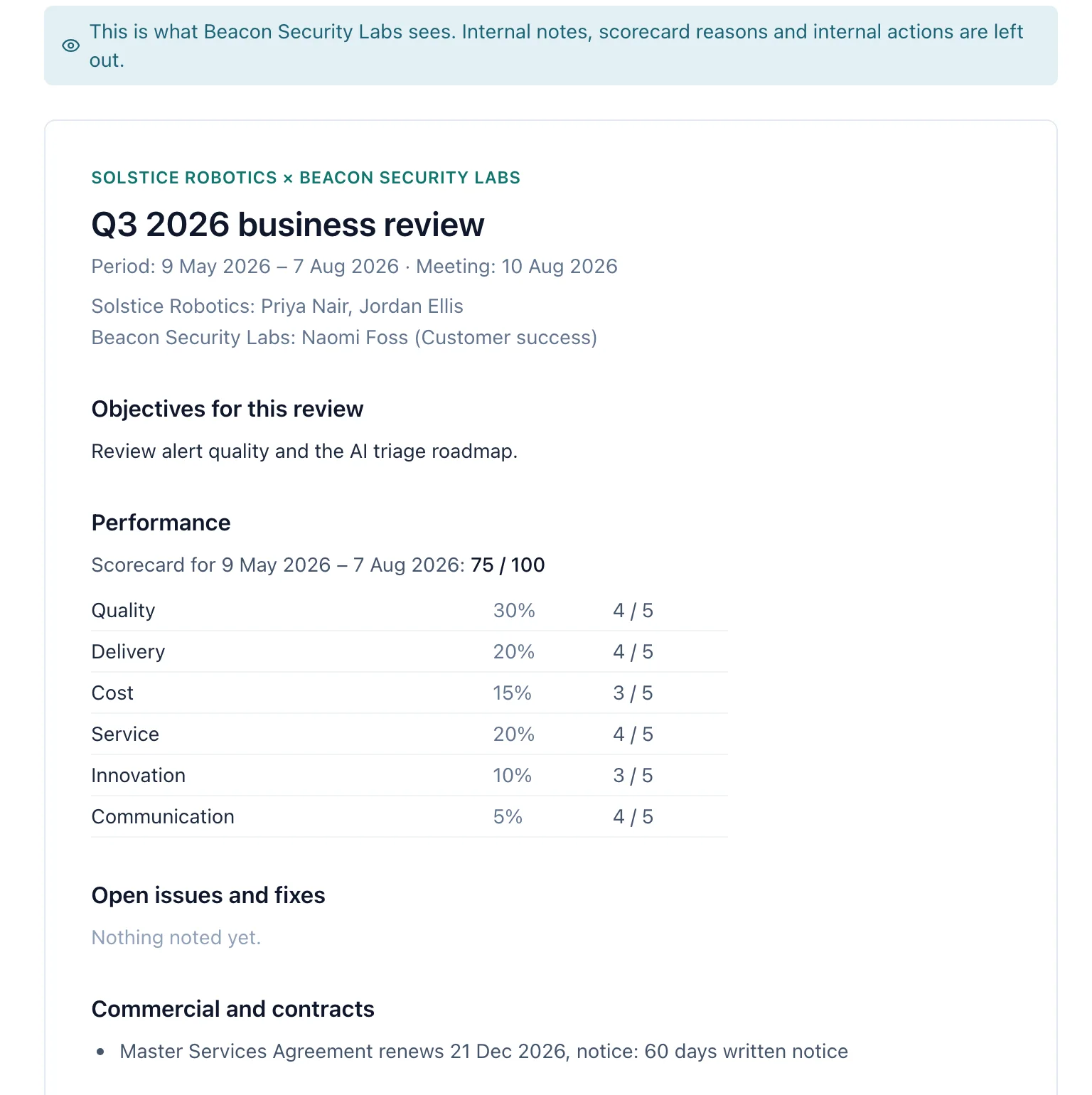
Granur drafts the agenda for a business review from the period itself: scores, open issues, renewal and notice dates, and compliance. You send the vendor a pre-read as a PDF, and your internal notes and scorecard reasons stay out of it. Decisions end up in one action log per vendor, so nothing is agreed and then forgotten.
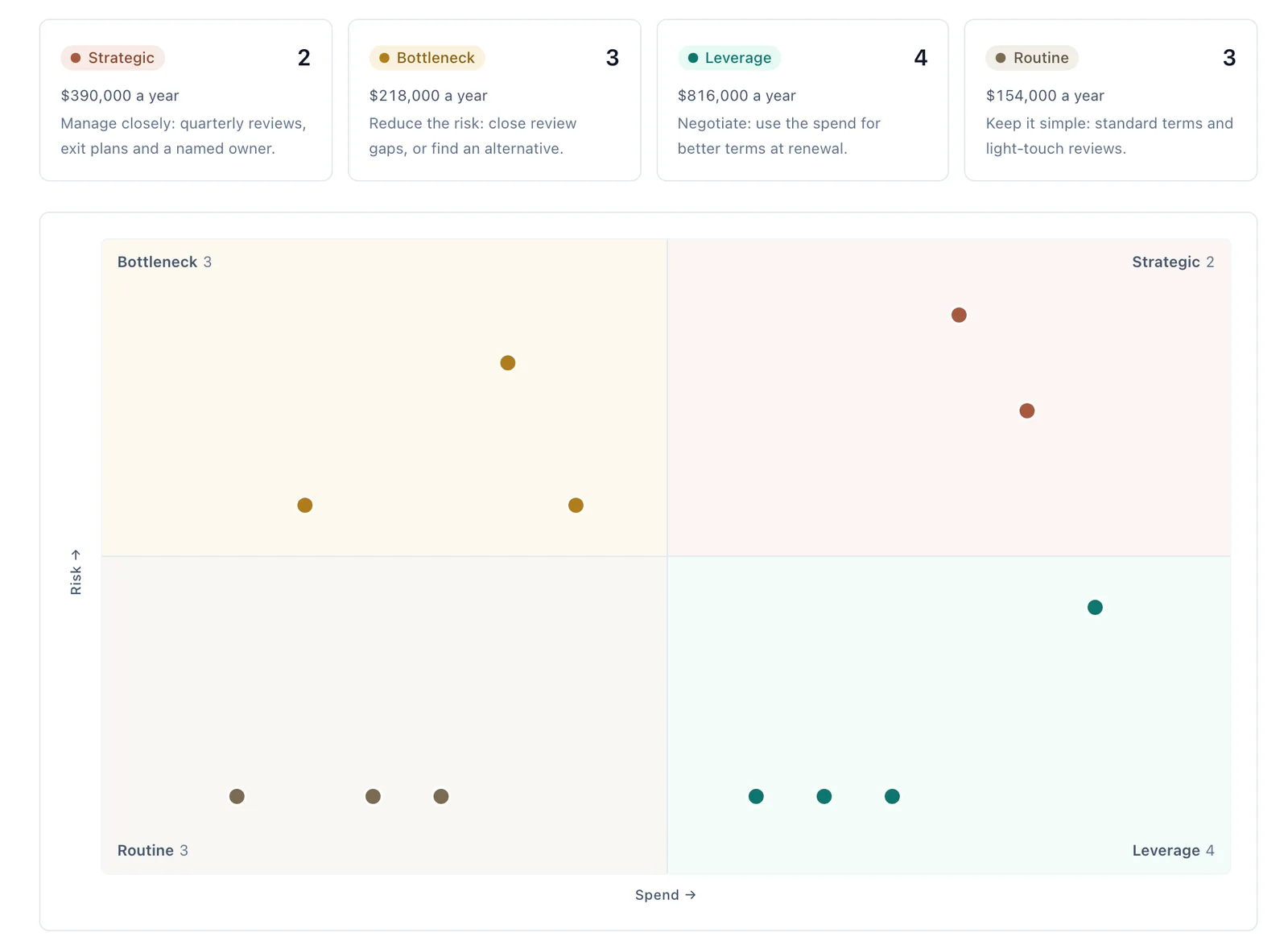
How often you meet follows from how much the vendor matters. Vendor segmentation places every vendor by yearly spend and risk, using what's already on its contracts, so strategic vendors get reviewed quarterly and routine ones once a year.
A 72-hour clock when a vendor has an incident
Under GDPR, a personal data breach must normally be reported to the supervisory authority within 72 hours of you becoming aware of it. Log a vendor's incident in Granur and the clock starts. It keeps running while personal data may be affected, until the authority has been told or you've decided it doesn't need to be. Your decisions, and when you made them, stay on the record.
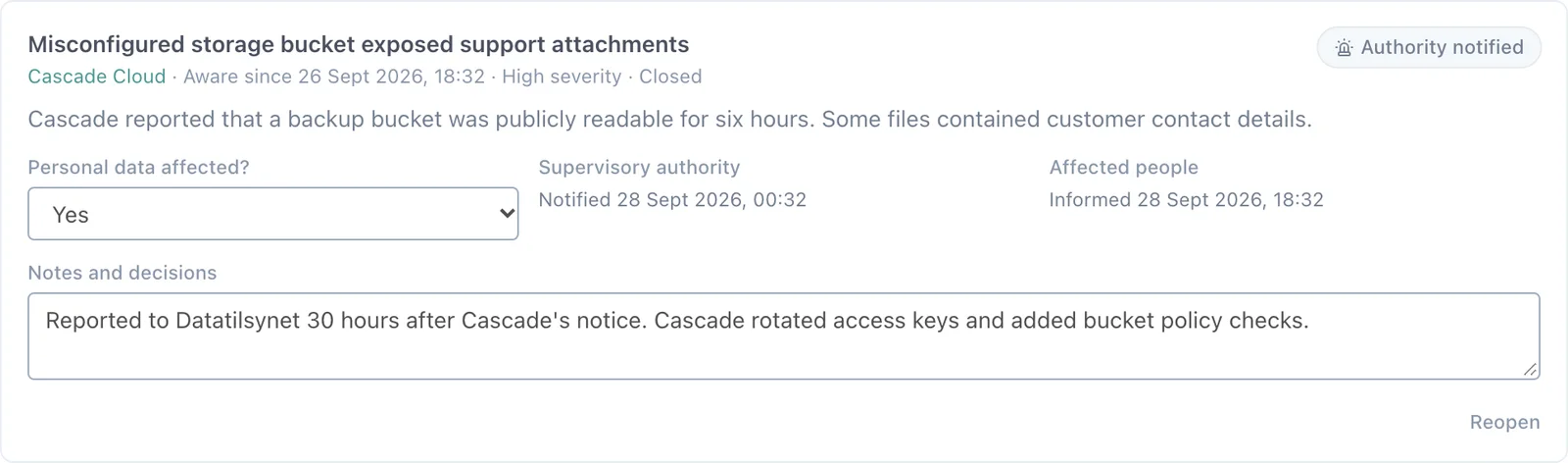
When someone asks which vendors handle your personal data, download the processor register: every one of them, with its DPA, data categories, locations and transfer safeguards. Vendors whose contracts contain personal data but have no record yet are listed with their gaps, so none are left off.
And a few more
Automation rules. When a contract enters a stage, tell Slack. When its checklist is complete, move it on. Nobody has to remember.
Framework screening. Screen a new vendor against the frameworks that apply, such as GDPR, ISO 27001 and the EU AI Act, with a person marking each control.
Health scorecards. Score each vendor on quality, delivery, cost, service, innovation and communication, and get a suggested rating and an action log.
Import from SharePoint and OneDrive. Pick contract files straight from Microsoft 365, and Granur reads each one with AI, the same way it reads an upload.
Dark mode. Choose Light, Dark or System from the account menu.
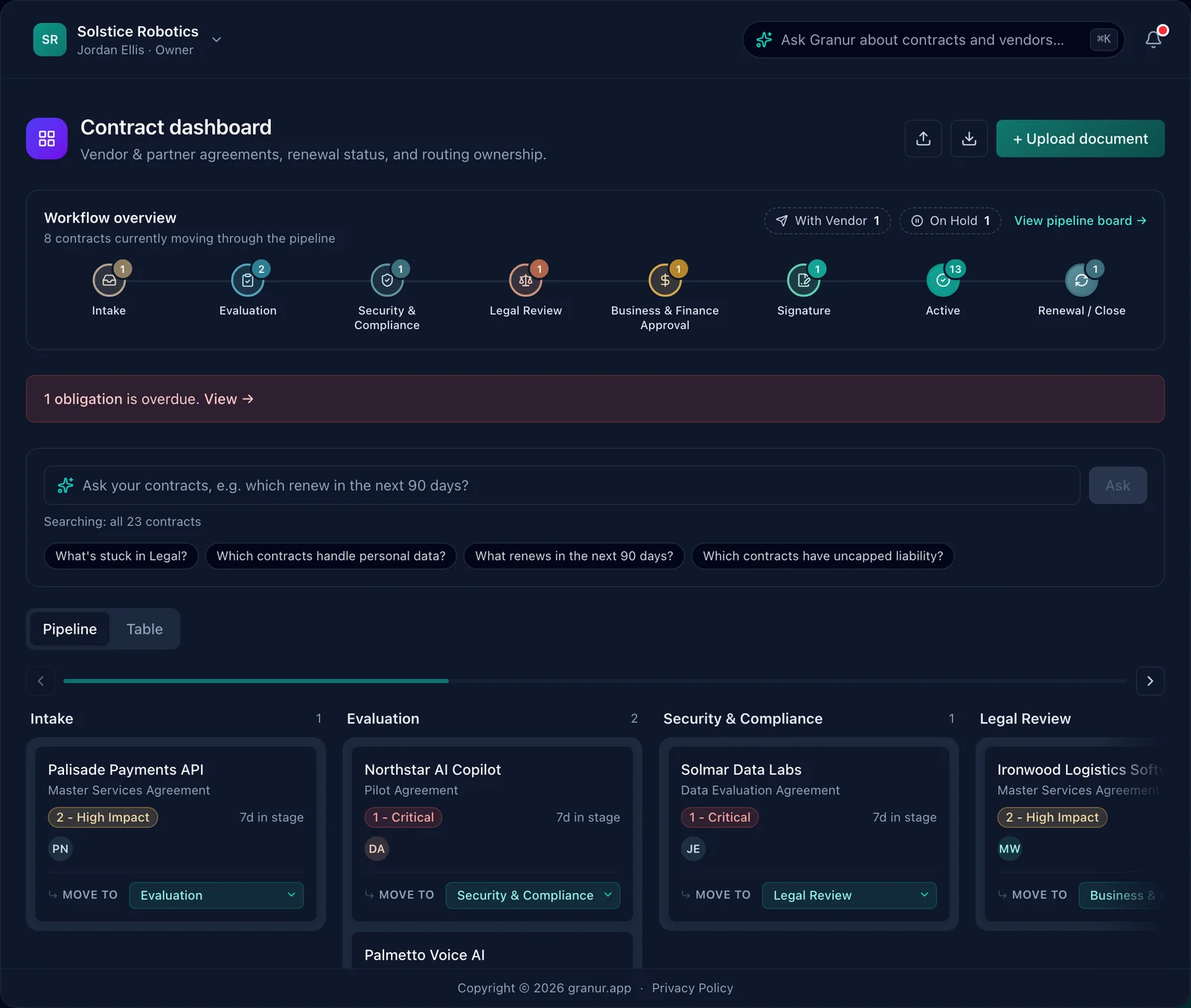
Want to see any of this with your own vendors and contracts? Book a demo and we'll take you through it. What's included depends on your plan, and pricing shows which is which.